Manager's Dashboard
Overview
Our manager's dashboard is designed for ease of use / efficiency, with a focus on these four areas. You'll configure program options first; then use this dashboard to manage users, locations, and banners.
Typical workflow
- Configure the program — Set signature templates, reply/internal variants, and permissions in configuration options.
- Provision users — Sync users via SCIM or import from your directory; verify attributes map to signature fields.
- Deploy signatures — Roll out the Outlook add-in or Google Workspace integration so users receive signatures automatically.
- Manage day-to-day — Use the manager dashboard to update templates, assign banners, upload images, and preview reply signatures (FAQs).
- Monitor and iterate — Review changelog updates and adjust program settings as campaigns or branding change.
- User's Signatures
- Locations
- Functional User Groups (for banner assignments)
- Campaigns / Banners

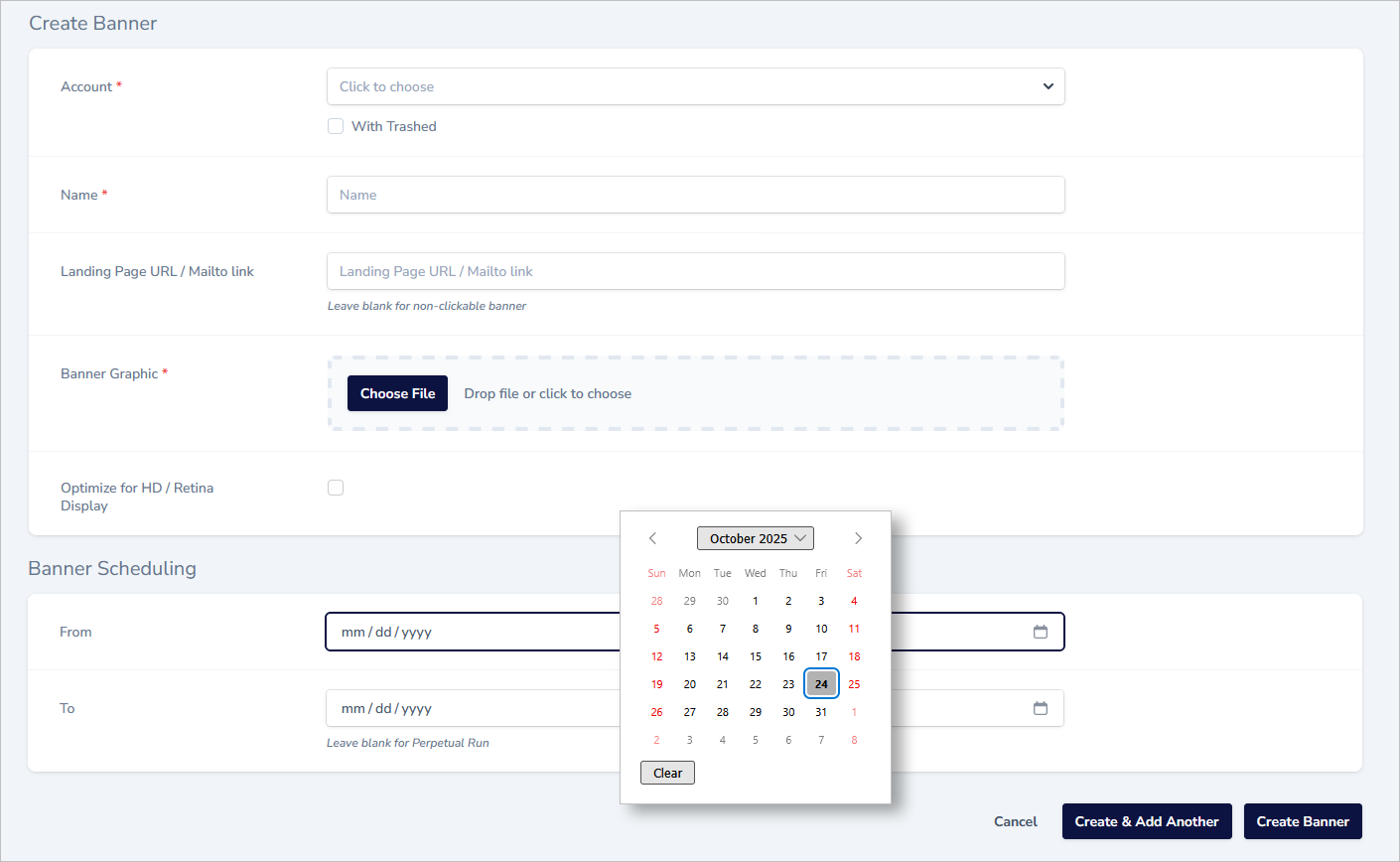
Banner Creation
- banner name
- banner landing page URL (not a requirement)
- banner scheduling (to / from dates) – if you want to set a limited duration run
- whether or not the graphic has been optimized for HD / Retina Display
- graphic image upload
Banner Assignment (Push)
We separate the banner assignment functionality into two categories – first is the "push" assignment, where the banners are automatically applied to user's signatures. We've built in the flexibility needed to ensure that you can assign banners exactly as you need to. The options are:
- assign the banner to ALL signatures
- assign the banner to the signatures of users at specific locations
- assign the banners just to specific users
- assign the banners to specific "groups' of users (that you’ve created using the "user groups" functionality of our dashboard)
These options enable you to quickly and easily push banners out in very precise ways – giving you the flexibility to run your banner program as you wish.
Banner Assignment (Pull)
The alternative approach is to set your program up so that users can self-select banners from a drop-down menu, as shown here:
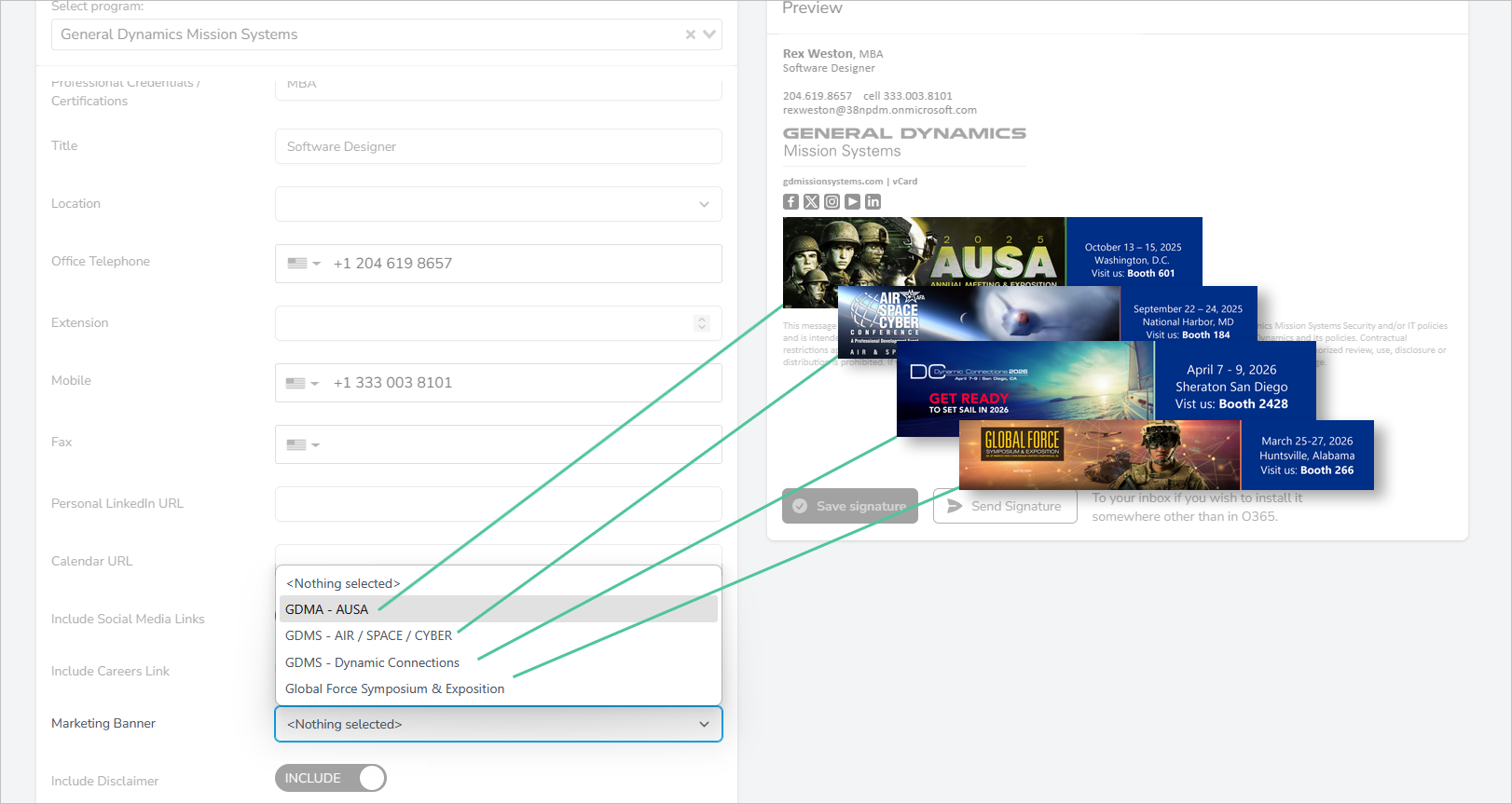
The drop-down menu will be dynamically populated aas you add new banners and as older banners are removed (or expire).