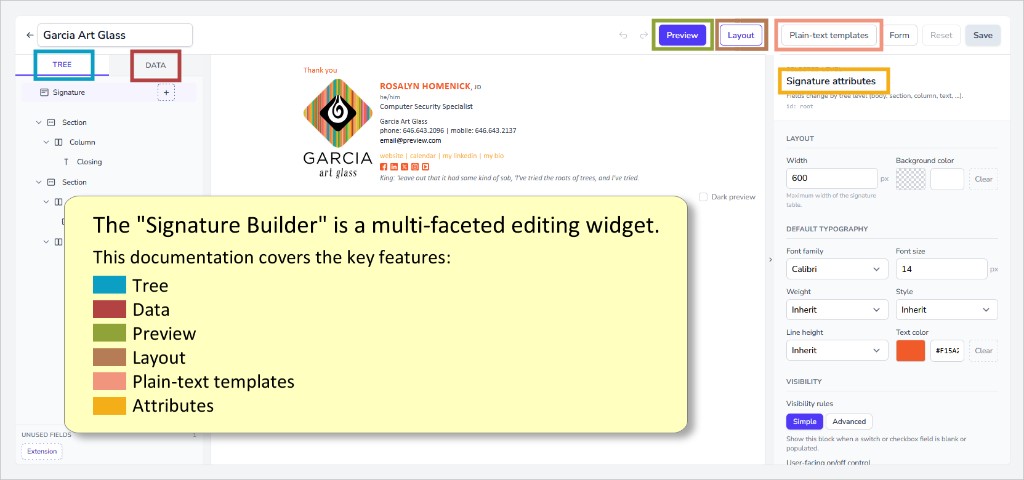
Signature Builder
We strongly recommend that you fully build all email signature programs using our Guided Setup process before advancing to the Signature Builder.
Everything is easier and more efficient in Guided Setup. Pushing your signature program as far as you can in Guided Setup before advancing to Signature Builder will most likely result in a headstart of 75% (or more).
Alternately, beginning a new program in Signature Builder is likely to be somewhat frustrating and perhaps confusing, as every aspect of the entire program will need to be built from scratch, including the entire database / form setup. There's no real reason to do all this the hard way.
Seamless User Experience / Centralized Deployment
- Multi-platform compatibility: Outlook Web, Outlook Desktop - Windows, Outlook for Mac (running the modern UI), Outlook Mobile App (iOS).
- Safe to use - won't crash Office: Unlike previous VSTO and COM add-ins, our new modern add-in runs in a sandbox within the Office application. As a result, it cannot cause Outlook itself to crash.
- No performance loss: Our add-in will not slow down the launching speed of Outlook.
- Centrally deployed and updated: Our add-in is deployed using the centralized deployment feature offered by Office 365. Learn more.
This is a UI-less / event-driven add-in. What does that mean? It means that the add-in interprets events occuring within Outlook, and responds automatically - the user sees nothing new, does nothing new - but the desired result still occurs:
- recognize a new message being opened - add the user's corporate signature
- recognize a reply message being composed - add the user's corporate reply signature
- recognize that the user has Outlook set to use a non-approved signature - override it with the approved signature
- recognize that all message recipients are "internal" - apply a slimmed-down internal signature (planned; contact support for availability)
Our web-based Outlook add-in is easily deployed remotely to users by the O365 administrator. The technology is agentless, meaning that there are no COM or EXE modules that need to be installed on the client side. It's a modern web-add-in pushed directly to user accounts in Office 365. As a result, there's no download, no configuration, and no security risk.
Centralized Deployment
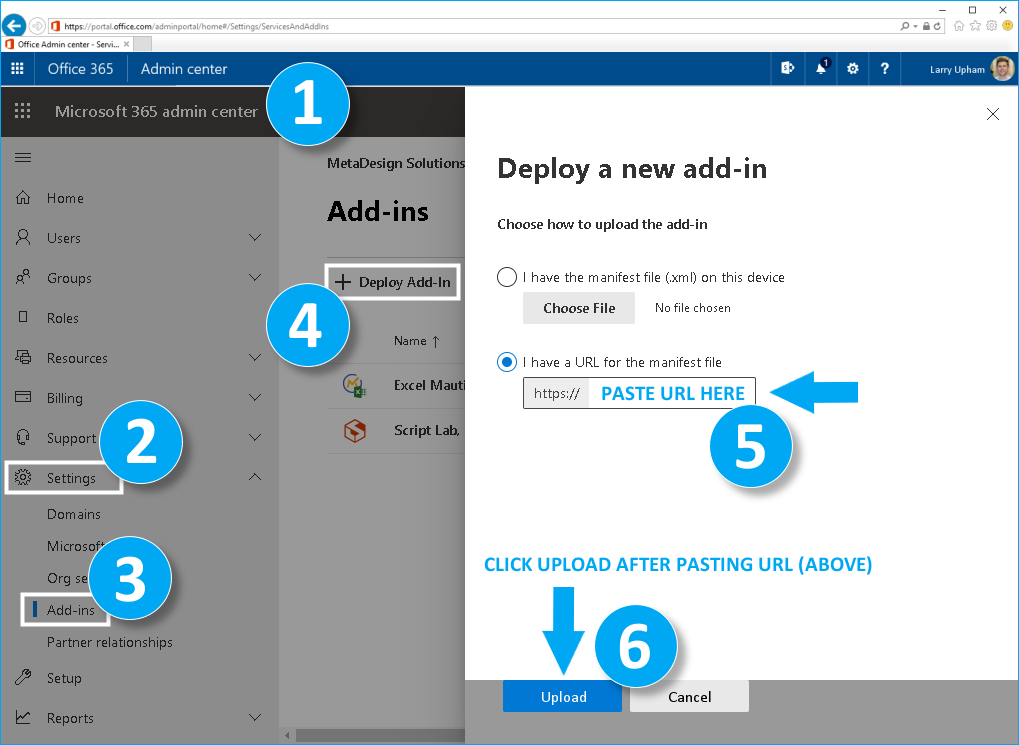
Our add-in is easily deployed via the Microsoft O365 admin center.
Additional Information
- How to manage add-ins in the admin center.
- Determine if Centralized Deployment of add-ins works for your organization.
An alternative deployment approach is to use the Centralized Deployment PowerShell cmdlets to manage add-ins.
Outlook Mobile App Integration

Our service is fully integrated into the Outlook Mobile App for both iOS and Android, subject to these three limitations:
- mobile add-in cannot distinguish replies from new messages - the "new message" signature will always be used
- mobile add-in cannot distinguish "internal" messages - the "new message" signature will always be used
- the Dynasend taskpane is not available in mobile - editing the signature will need to be occur from the user's computer
Nothing Will be Installed on User's Personal Phones
We understand that in most cases employees will be using their personal phones. Our service runs entirely in the cloud, integrated with the O365 subscription they are already connected to, meaning that nothing actually gets installed on user's phones.