Add-in Deployment Instructions - O365 Administrators
Here are the supported email clients.
Here's a Microsoft support article that provides considerations when assigning an add-in to specific users or groups.
Note: Please DO NOT do this unless you have been directed to do so by Dynasend personnel. Deployment of the add-in prior to Dynasend provisioning your account will create unnecessary complications. Thank you.
Visit your Office 365 Integrated Apps portal.
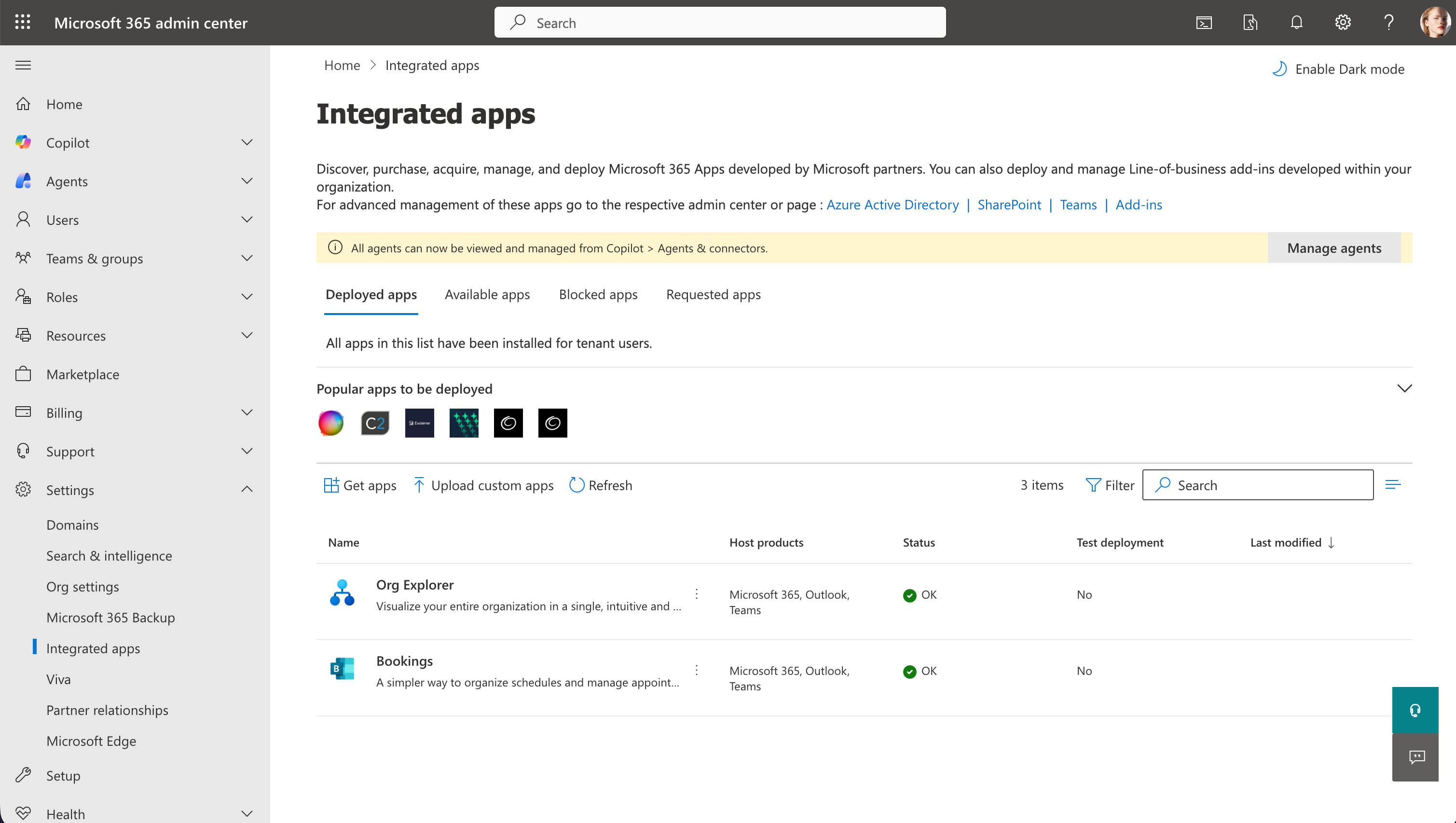
Click Upload custom apps.
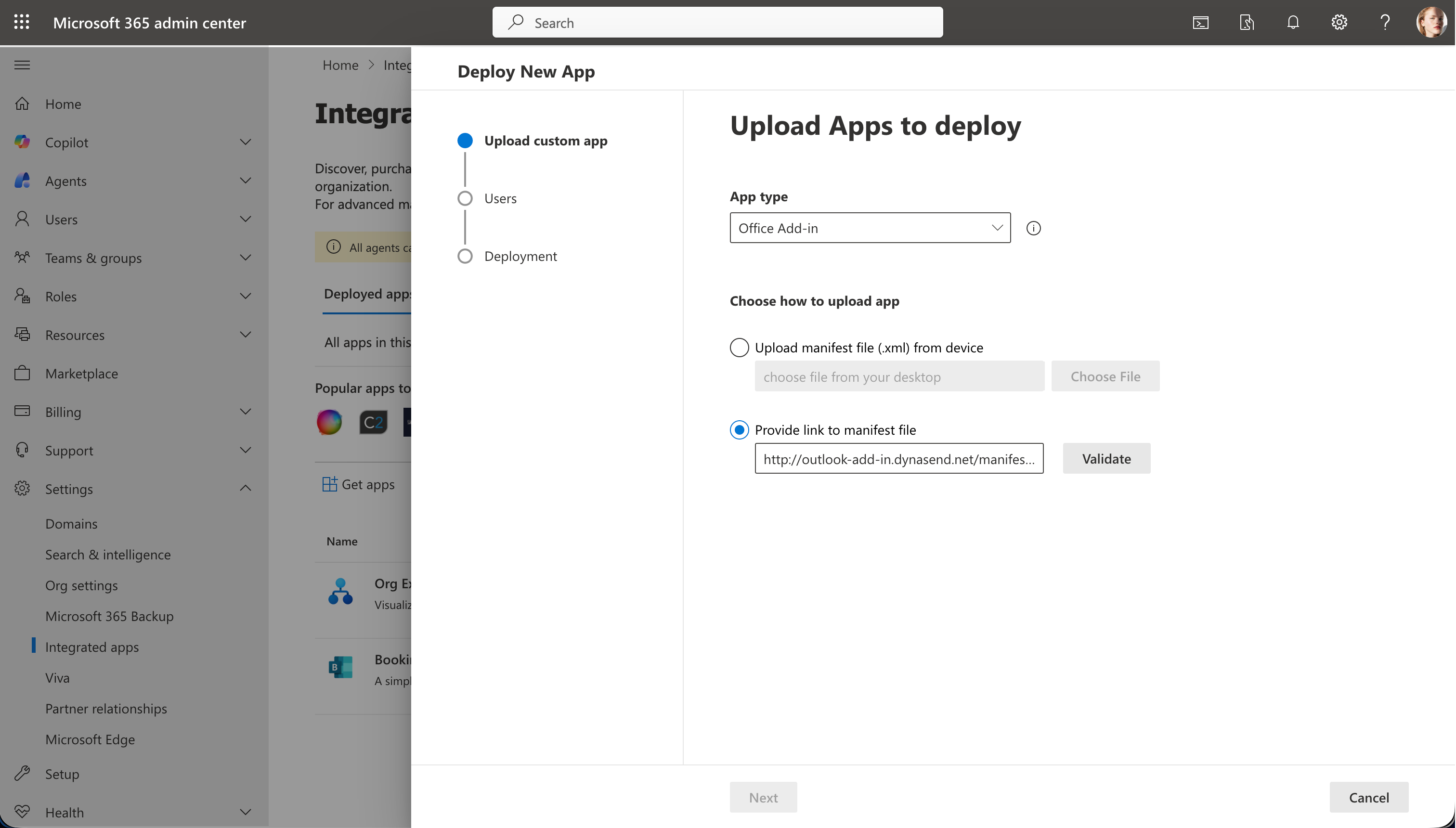
Choose App type to be Office Add-in.
Copy this URL:
https://outlook-add-in.dynasend.net/manifest.xml
and paste it into the manifest file URL field. After pasting, click Validate and then Next.
To finish, Assign users and then click Deploy (screen-capture not shown). After deploying, you can close this window.
Note: It will probably take about 24 hours before the add-in appears in Outlook.
When the add-in becomes active, users will be prompted from within Outlook to complete their signature profile.