Add-in Deployment Instructions - O365 Administrators
Here are the supported email clients.
Here's a Microsoft support article that provides considerations when assigning an add-in to specific users or groups.
Note: Please DO NOT do this unless you have been directed to do so by Dynasend personnel. Deployment of the add-in prior to Dynasend provisioning your account will create unnecessary complications. Thank you.
Visit your Office 365 Integrated Apps portal.
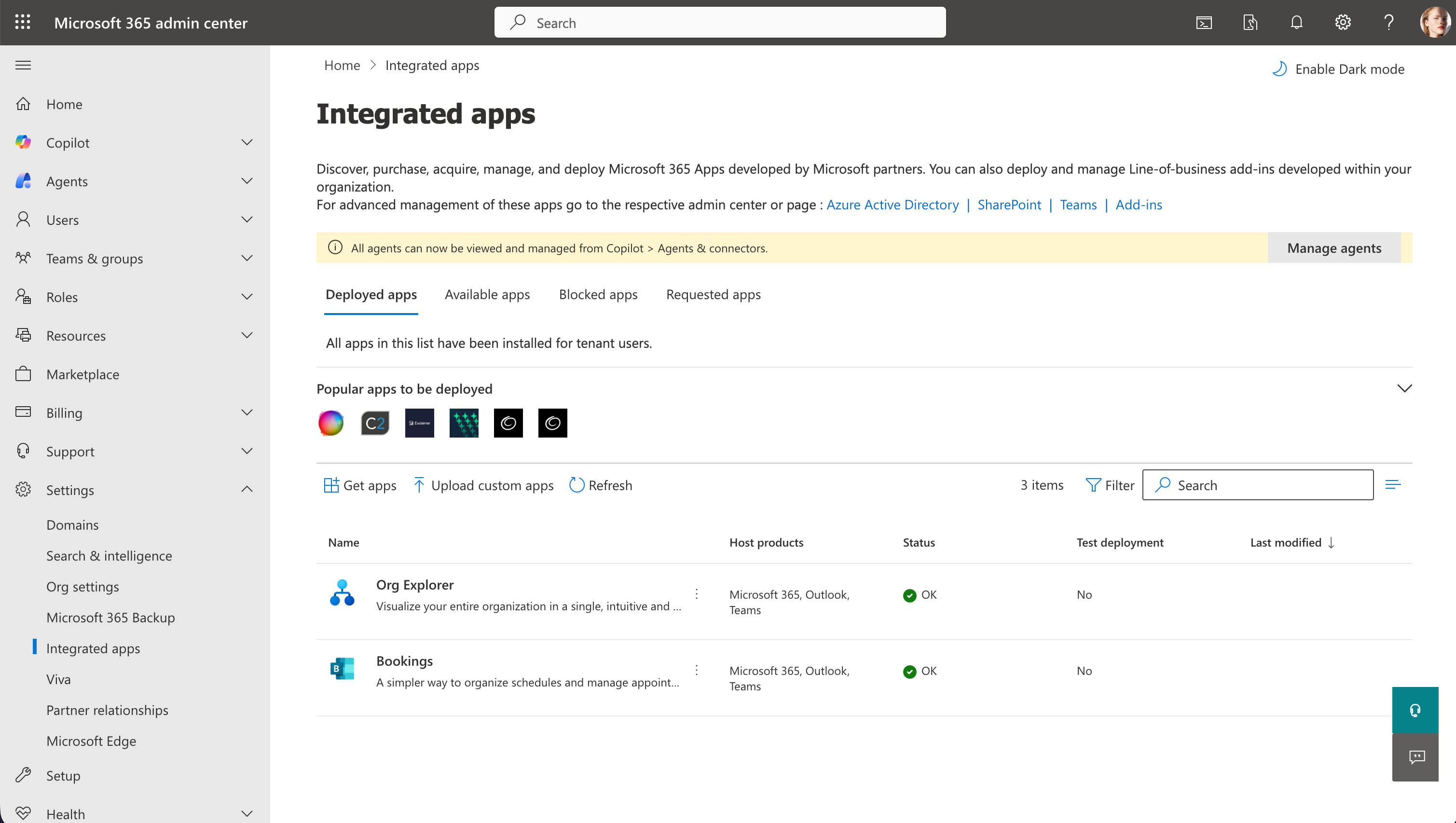
Click on Upload custom apps.
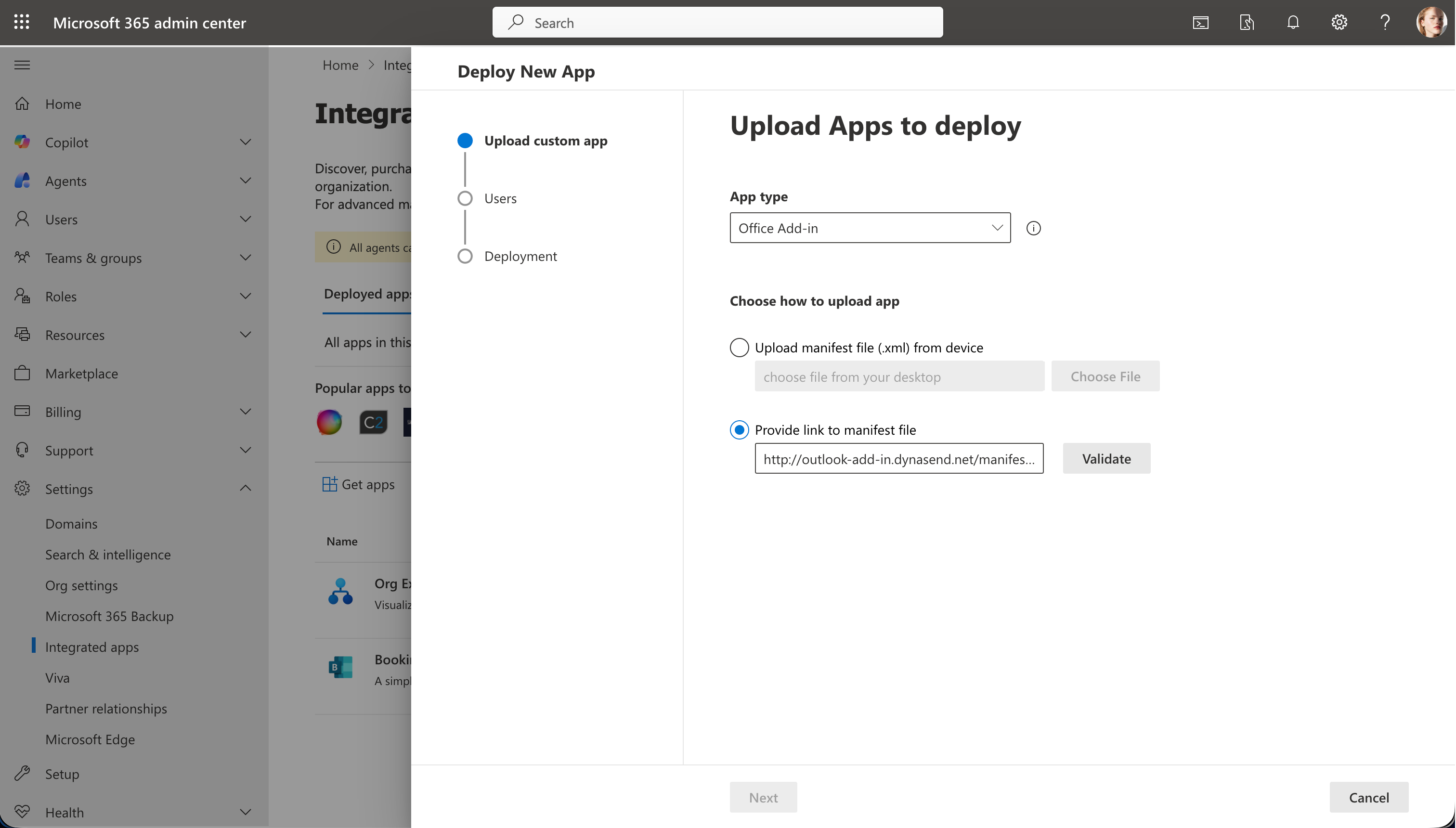
Choose App type to be Office Add-in.
Copy this URL:
https://outlook-add-in.dynasend.net/manifest.xml
and paste it into the manifest file URL field. After pasting, click Validate and then Next.
To finish, Assign users and then click Deploy (screen-capture not shown). After deploying, you can close this window.
Note: It will probably take about 24 hours before the add-in appears in Outlook.
When the add-in becomes active, users will be prompted from within Outlook to complete their signature profile.