Manager Onboarding
Dynasend Onboarding for Managers
End-user process is simpler
This is not the process end users will need to go through — their process will be much simpler, or even non-existent if AD sync is configured.
You are done when
- You logged in with your business email and clicked Save Signature
- You emailed support@digitechbranding.com to request manager credentials
- Your O365 admin completed add-in deployment (or you confirmed deployment is not required for your rollout)
- You can open the manager dashboard and see your program
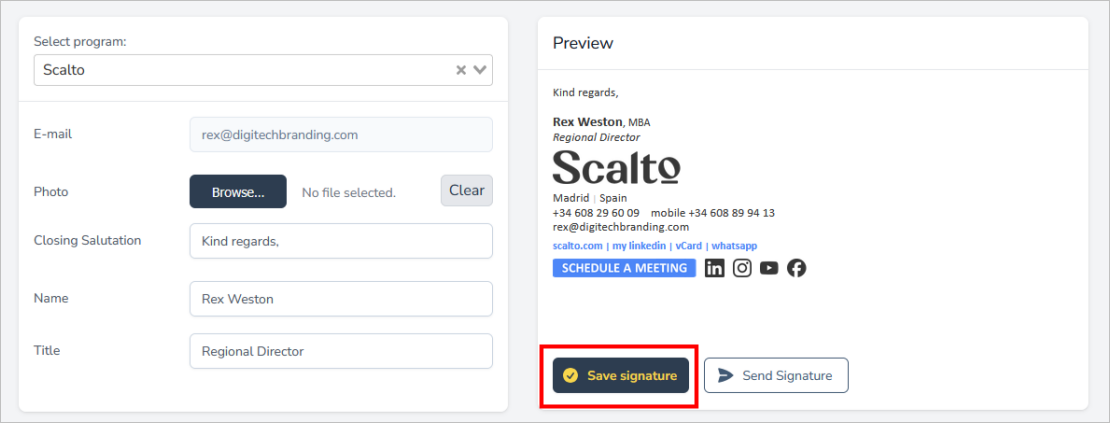
Step 1 — Authenticate yourself by logging in (using your business email address) and saving your signature.
Log in by clicking here:
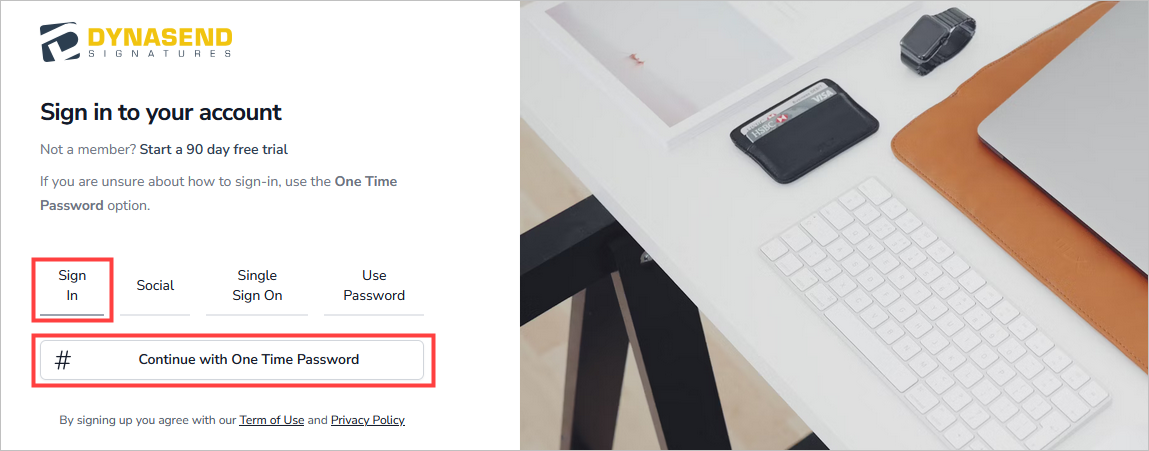
Once logged in, complete the data-entry screen and click Save Signature:
Step 2 — Request credentials: After saving your signature, email us to request manager credentials.
Step 3 — Deploy our O365 add-in: Have your O365 account administrator deploy the O365 add-in.
Testing and rollout
- If you are still in a testing phase, only deploy the add-in to users who you want included in the testing process.
- It may take 24+ hours after deploying the add-in before the signature begins working — this is a delay imposed by Microsoft.