Gmail Signature Creation & Installation
Log in using your business email address: https://us-east-2.manage.dynasend.net/login.
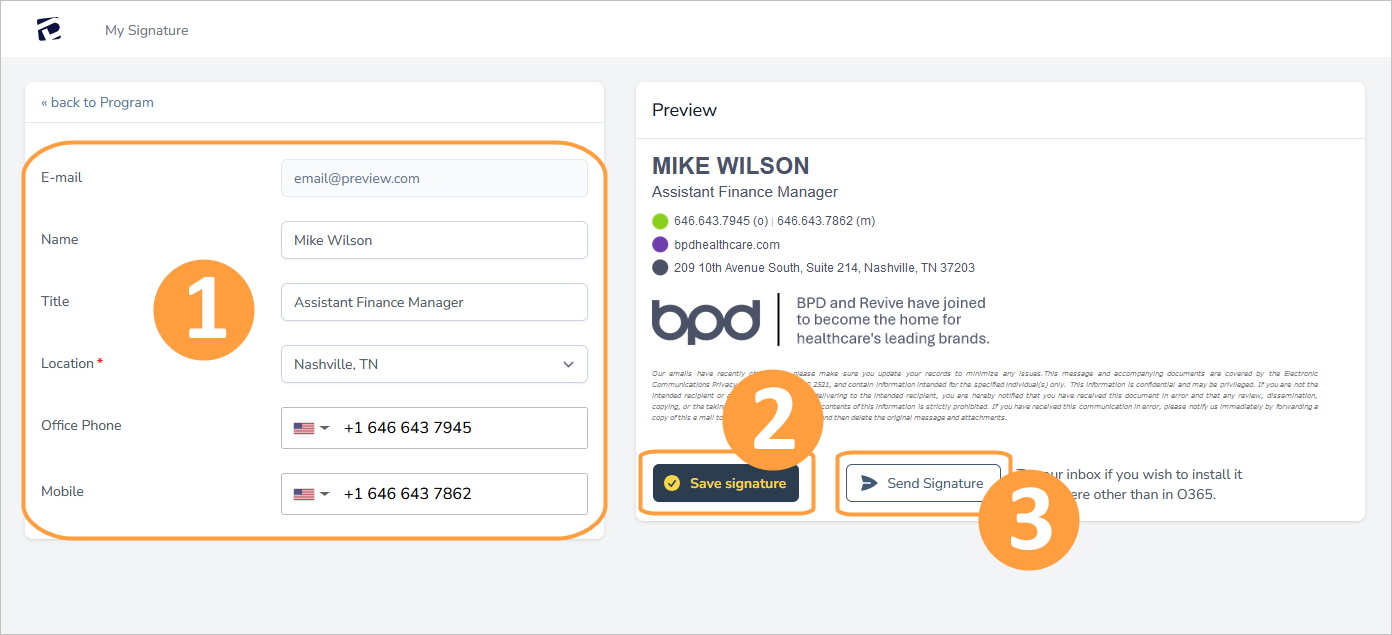
- Populate your signature using the form on the left.
- Click Save Signature.
- Click Send Signature.
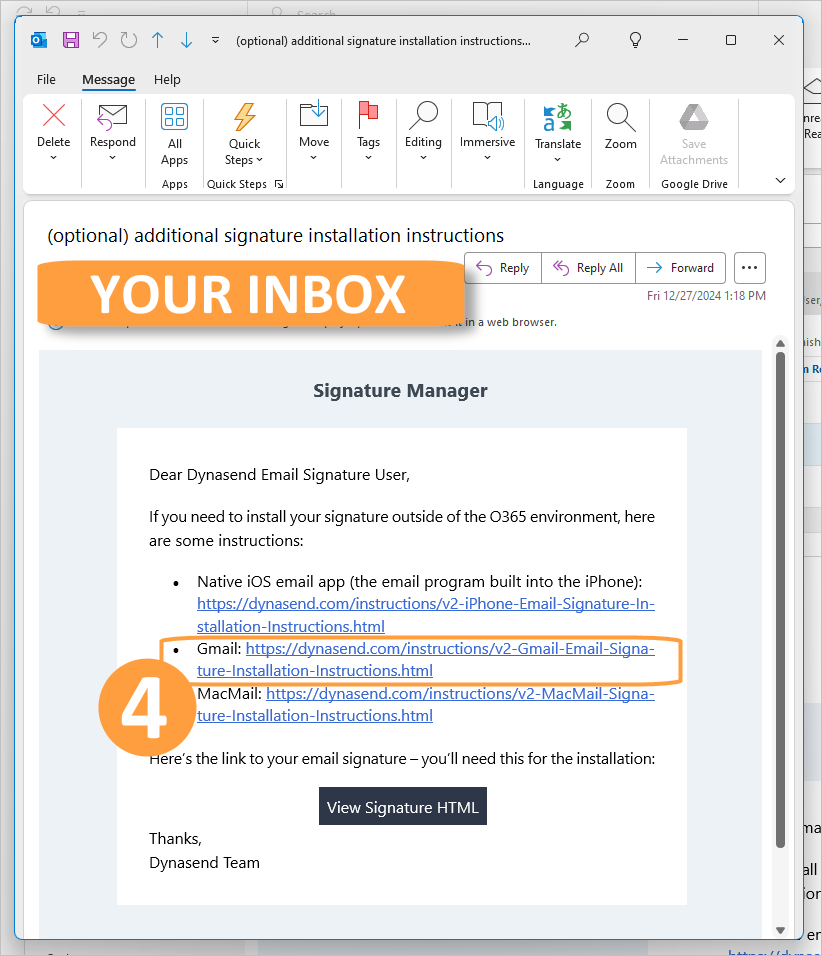
- Go to your inbox and open the email with the subject "(optional) additional signature installation instructions" and follow the instructions for Gmail.